
Photo access
Only what you selectAndroid's system photo or file picker is used so HomeVault does not require unrestricted access to the entire photo library or general file storage.
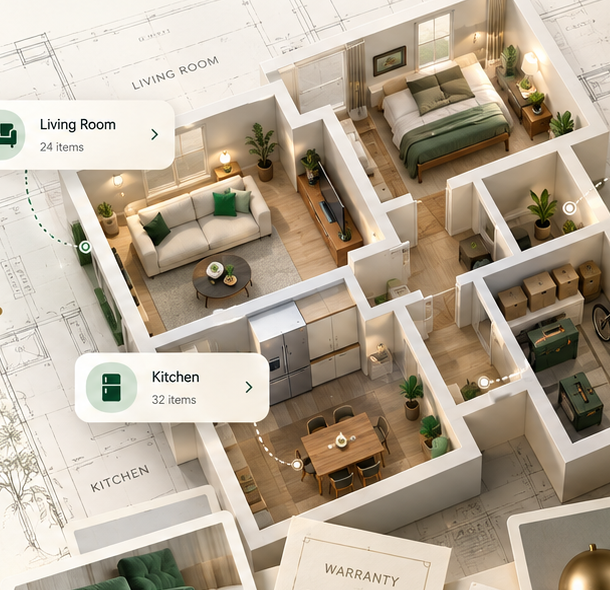
HomeVault is an offline inventory manager for your home and office. Organize rooms and belongings, store purchase details, warranties, receipts and product photos, set maintenance reminders, export to PDF or CSV, and keep everything safe with encrypted local backups.
Offline-FirstYour data stays on your device. No cloud required.
Encrypted BackupKeep your records safe with encrypted local backups.
HomeVault is designed to organize household and office belongings in a structured local inventory. Records are stored in an Android Room database, while selected product photos are copied into application-private storage.
Keep the details that help you recognize, value and maintain the things you own without building an online profile.
Android's system photo or file picker is used so HomeVault does not require unrestricted access to the entire photo library or general file storage.
Inventory remains on the device unless you deliberately export or share it.
The app does not require online registration, cloud synchronization or remote inventory storage.
Optional maintenance and warranty reminders are generated from locally stored information. On supported Android versions, notification permission is requested only when you choose to enable those reminders.
Save purchase details, warranties, repair history and maintenance information.
Create local maintenance schedules or warranty-related reminder dates.
Notifications are generated on the device when enabled by the user.
Turn notifications off inside the app or through Android system settings.
HomeVault supports PDF and CSV exports plus optional local backup and restore. You decide where files are saved through Android's system document picker.
When you create a backup, supported inventory data and available product photos are protected using AES-256-GCM encryption with a key derived from the backup password you choose. HomeVault does not transmit backup files or backup passwords to developer servers.
Generated documents may contain product details, purchase information, repair records, maintenance schedules and associated values.
Android's system document picker is used for choosing where export and backup files are saved.
Restoring a backup replaces existing inventory records in the application, so backup files and passwords should be handled carefully.
The current version does not use advertising networks, behavioral analytics, online user accounts, developer-operated cloud synchronization or remote inventory storage.
Inventory remains locally stored until you edit or delete it, clear application data, or uninstall HomeVault.
Delete individual items in the app, clear application data through Android settings, or uninstall the application.
Files independently exported or backed up outside app-private storage are not automatically removed when HomeVault is uninstalled.
Read the complete supplied Privacy Policy for exact wording on local storage, photos, reminders, exports, encrypted backups, retention, security, children and contact information.